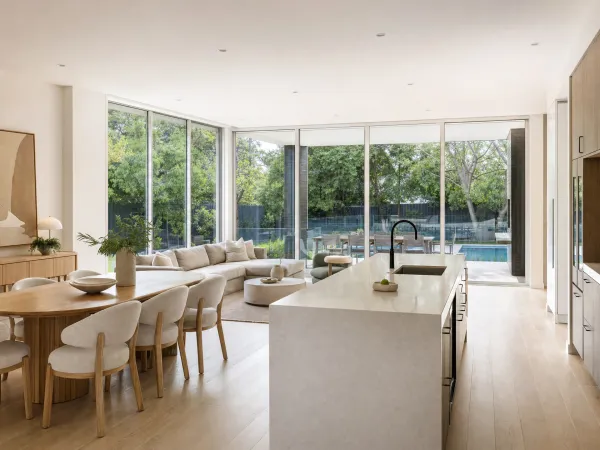
Removing objects from real estate photos
What you can and cannot remove from a property photo in Australia, the legal limits in 2026, and the tools and services that handle it well.

A bin in the corner of the kitchen. A charger cord on the bedside table. A wheelie bin parked by the carport, a power pole in front of the facade, an old fan unit on the side wall. Small things the seller no longer notices, that read straight at the buyer as ‘this house is cluttered’ or ‘this listing has been thrown together’. Object removal is the editing step that takes those distractions out of the photo, and it has quietly become one of the highest-impact pieces of the modern listing campaign. The kitchen photo with three appliances visible converts worse than the same kitchen with a clean bench. The exterior with a bin in frame converts worse than the same exterior with the bin moved. The maths is not subtle.
The catch in Australia in 2026 is that not every object is fair game. A bin is one thing. A power line carrying electricity to the house next door is another. Over the last eighteen months the boundary between tidying a listing photo and misleading a buyer has been drawn more sharply by state legislation, by the Australian Competition and Consumer Commission, and by the property law profession. The agents and photographers who can articulate where the line is now sit on a real advantage. Those who cannot are one upset buyer away from a complaint to Fair Trading.
This guide is for the agents, vendors, and photographers preparing real listings across Australia. It covers what can be safely removed and what cannot, what the law actually says when the line gets crossed, the four ways the job gets done at different price points and quality levels, and the tools and workflows that produce a clean, defensible final image. The tone is practical and Australian, not US-centric, and the prices are in AUD.
Why object removal carries so much weight on a listing
Real estate marketing in 2026 is competing for thumb-scrolls. realestate.com.au’s PropTrack Buyer Impact Model, built on 1.3 million Australian sales between August 2023 and November 2025 and independently reviewed by Deloitte, reports that eventual buyers spend almost seven cumulative hours engaging with the listing they end up buying, and view 28 times more property images than people who do not buy. The cumulative seven hours is the high end; the first three or four photo views is where the campaign is won or lost. Every distraction in the frame at that early stage costs attention.
Buyers process listing imagery in a specific order. The imgix analysis of real estate buyer behaviour found shoppers spend roughly 60% of their time on listings looking at the images before they read the description, and 85% rank photos as the single most important factor in evaluating a property online. None of the studies measure the specific impact of clutter against the specific impact of a clean frame, but every editor in the industry sees the same pattern in client A/B feedback: bins, cords, dish racks, and stray remotes drag a kitchen photo’s perceived value down even when the room itself is excellent. The buyer cannot articulate it. They scroll past.
The same logic runs harder in vacant marketing. The Brisbane home staging study tracked 144 staged properties in the city and reported that 49% sold in the first week, 66% within two weeks, and 87% within four. Object removal is the digital counterpart of physical staging; the same neatness is what the buyer reads as ‘liveable’.
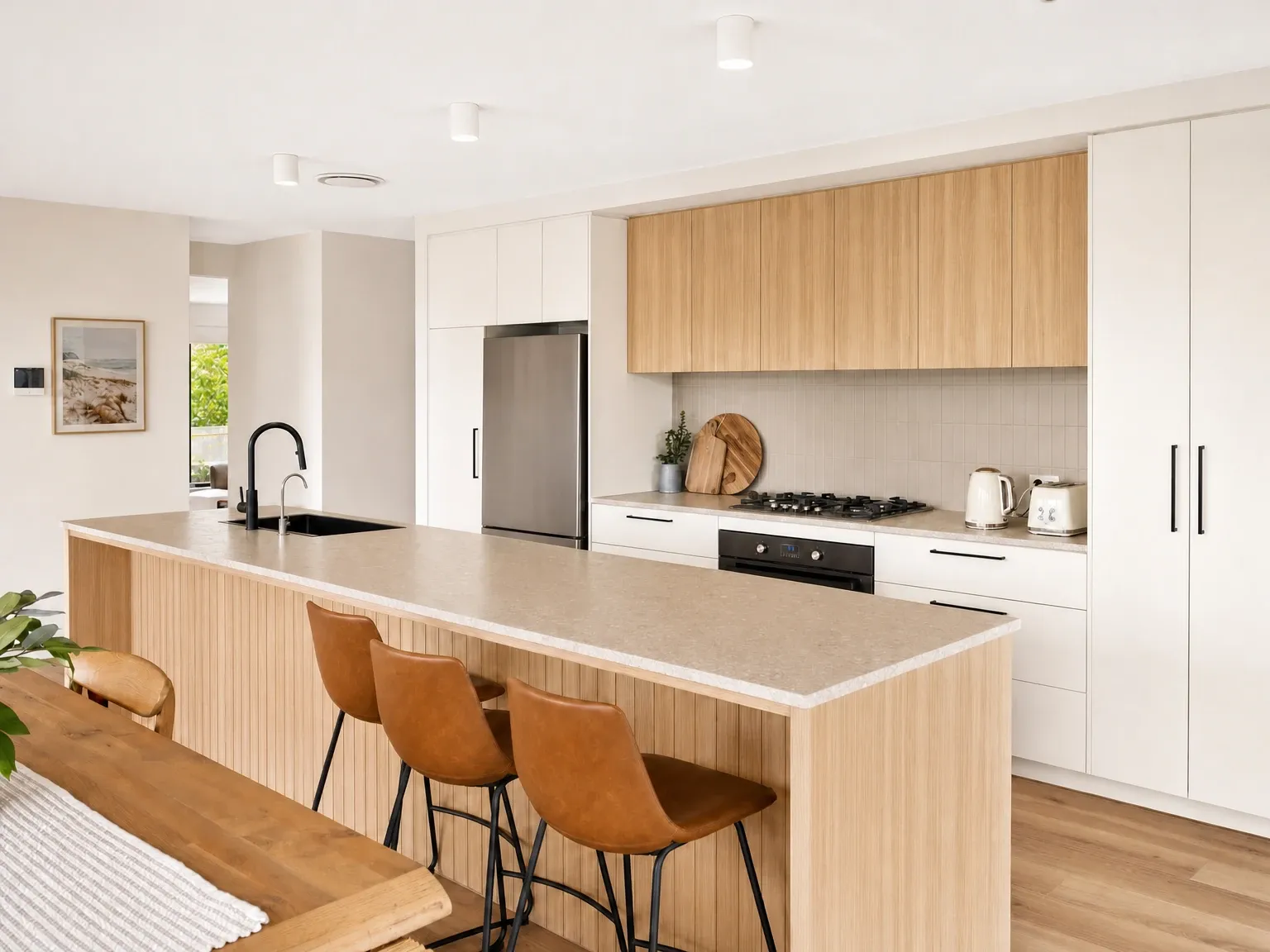
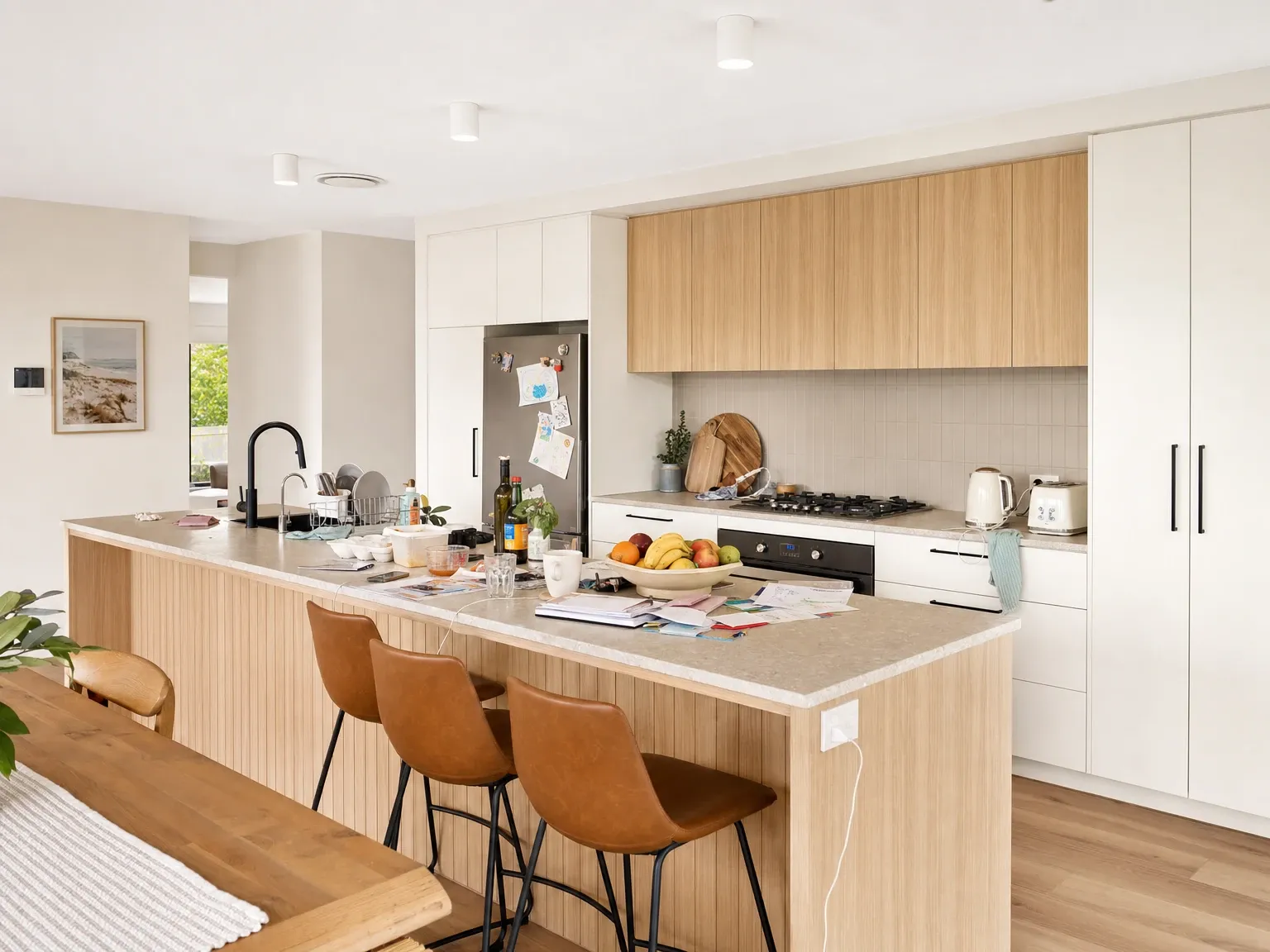 Before
After
Before
After
What you can remove without crossing the line
The safe-to-remove list is settled in Australian practice and consistent across the better real estate photography providers, the state real estate institutes, and the property law commentary. Anything that is movable, temporary, and belongs to the seller or tenant rather than to the property is fair to take out of the photo. Removing the same items in person before the shoot is not legally different from removing them digitally afterwards: in both cases the buyer is seeing the property without the seller’s personal effects, and that is exactly what a buyer expects from a marketing photo.
The settled safe list:
A bin missed by the photographer, a kerb-side wheelie bin still out on collection day, a stray hose draped on the lawn. A trampoline, a pet bed, a swing-set covered in toys. Items the seller would take with them when they move are by definition not part of what is being sold.
Power cords trailing across a kitchen bench, a charger plugged into a bedroom wall socket, a tangle of cables behind the TV unit. The wall socket and the TV remain visible; the cord is the seller’s belonging.
Personal items on a vanity, a kitchen bench, a bedside table or a study desk: toothbrushes, deodorant, makeup, soap dispensers, a hairdryer, a coffee pod machine, a kettle, an air-fryer, paperwork, mugs, a fruit bowl, kids’ drawings on the fridge, a calendar on the wall, family photos in frames. All temporary, all leaving with the seller.
Pets and pet bowls. A dog asleep on the rug or a cat across the bed is the single most distracting object in a listing photo. Both go.
Cars parked on the driveway, the street, or the verge in front of the property, including the seller’s own car. The driveway and the street are infrastructure; the cars are temporary occupants.
Agent signboards still standing on the verge from the last campaign. They photograph awkwardly and add nothing to the new listing.
A neighbour’s car parked over a shared fence, the edge of a neighbouring rubbish bin visible at the boundary, a stranger walking past on the footpath. Anything that does not belong to the property and is transient by nature is removable on the same logic.
These are the bread-and-butter object removals that every Australian campaign uses, every editing provider offers, and every legal commentator describes as routine and uncontroversial. None of them change what the buyer inherits if they sign the contract.
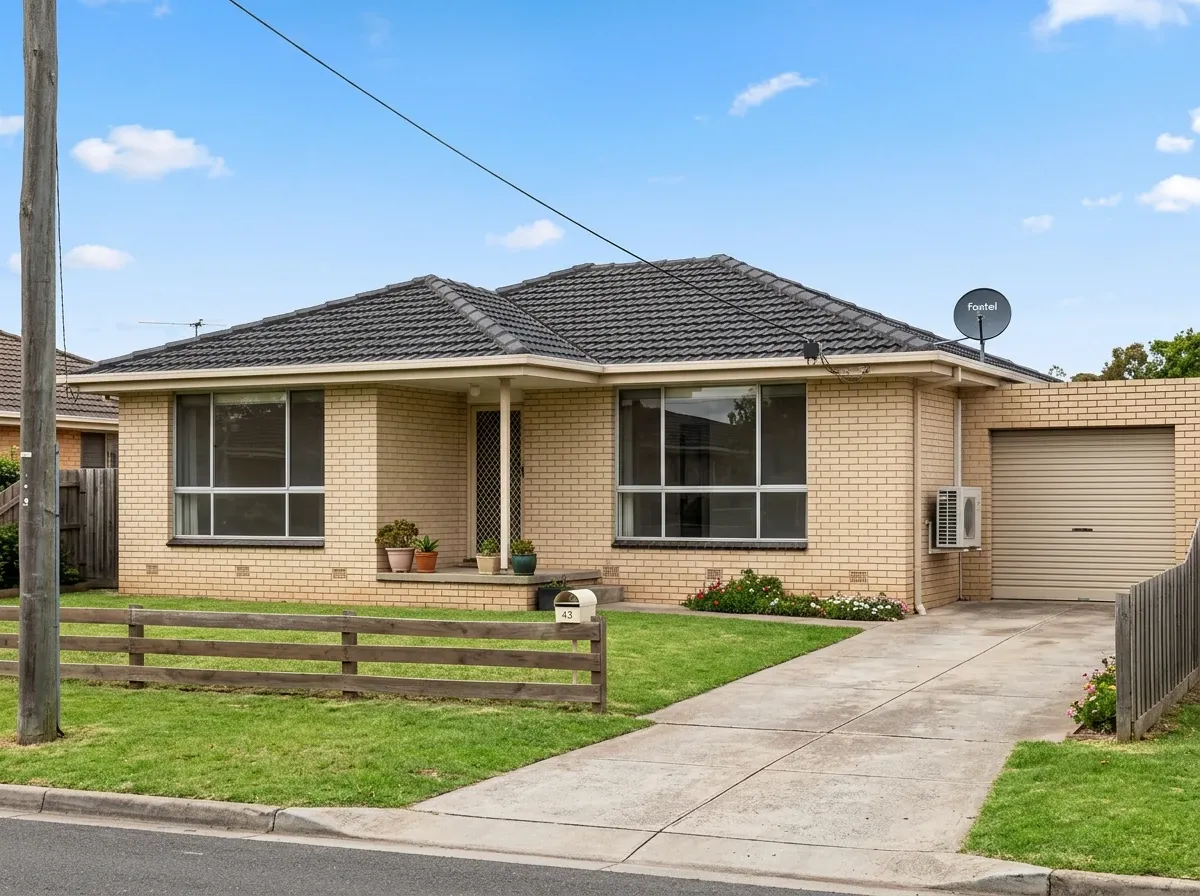
These items convey with the sale. Editing them out misleads the buyer.
What you cannot remove, and what it can cost you
Where the law has hardened is on the items that look removable but are not. The principle is consistent across REIQ commentary, the recent NSW legislation, and the property law writing from firms like Macrossan & Amiet: anything physically attached to the property, or part of the setting the buyer is buying into, is not the seller’s to remove. The buyer is purchasing what the photo shows, not the listing alone.
The settled do-not-remove list:
Power lines, electricity poles, telegraph poles, transformer boxes, and the overhead service line running from the street to the house. The buyer inherits the view, the visual amenity, and any consequence (proximity to high-voltage infrastructure has its own implications for some buyers).
Neighbouring buildings, high fences blocking a view, a commercial building behind the rear boundary, a duplex wall sharing the property line. The property’s actual outlook is part of what is being sold.
Air-conditioning condensers, hot-water units, water tanks, satellite dishes, antennas, solar inverters, evaporative cooling boxes on the roof. They are fixtures, they convey with the sale, and they affect both aesthetics and how the buyer will use the property.
Cracks in walls or ceilings, water stains on a ceiling, mould patches in a bathroom corner, peeling paint, missing tiles, lifted floorboards, daylight visible through eaves. Removing visible damage is the textbook case of misleading conduct.
Permanent landscape features that are part of the property: large trees, an established hedge, a retaining wall, a garden bed, a pool fence. They convey with the sale.
The roads, footpaths, and traffic infrastructure on the property’s frontage. A busy main road in front of a house is part of the property’s amenity and cannot be edited out of the hero exterior.
If a buyer arrives at an inspection expecting an unobstructed driveway and finds a power pole that someone removed from the listing photo, the property’s value drops by whatever it costs to deal with the pole (which can run into tens of thousands of dollars for the rare cases where a pole can be relocated). The buyer’s case is open and shut.
The penalty exposure for getting this wrong is what makes the topic worth taking seriously. The Australian Consumer Law is the primary instrument and it sits above the state-specific rules: misleading or deceptive conduct in trade or commerce carries a maximum penalty of $220,000 for an individual and $1.1 million for a company. State-specific real estate legislation adds to the exposure. Queensland’s Property Occupations Act 2014 section 212 caps a misrepresentation by a licensee at $72,063. NSW added a rental-specific regime in 2025: the Residential Tenancies Amendment (Protection of Personal Information) Bill 2025 imposes $5,500 on an individual and $22,000 on a business for an altered rental image that is likely to mislead a prospective tenant, including the specific case of removing undesirable infrastructure from the background. The bill names electricity towers explicitly.
The point of comparing the figures is not to suggest a $5,500 fine is the most likely consequence. It is to make clear that an agency exposed to ACL misleading-conduct findings is exposed to seven-figure outcomes, and the path to that exposure runs through a single edited photograph and a complaint.
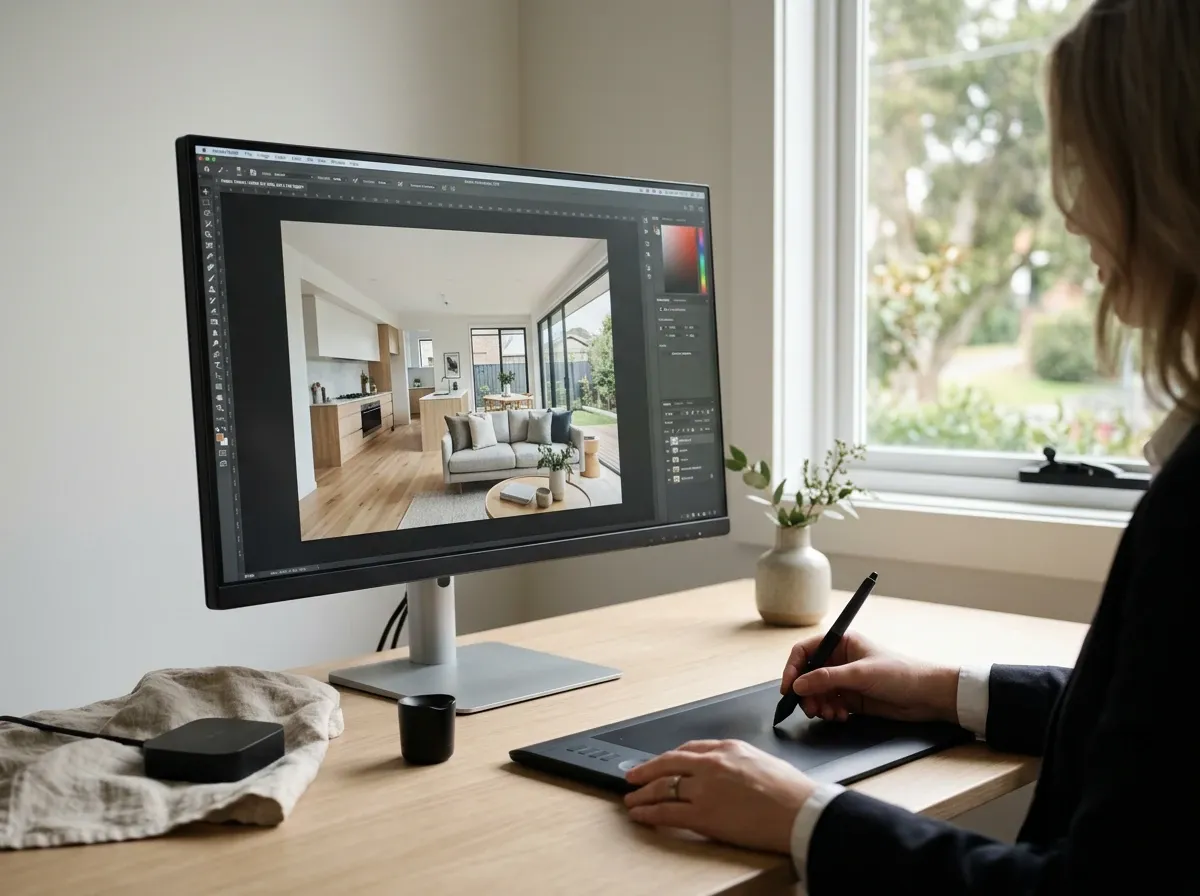
The editing layer is where most Australian campaigns now win or lose.
The four ways to remove objects from a real estate photo in 2026
The current Australian market has converged on four approaches, with prices and quality stratified accordingly. Most agencies and photographers use more than one depending on the job.
Free AI web tools. Cleanup.pictures, Pixelcut, the free tier of Photoroom and similar apps run a generative-AI fill model in the browser and remove the area you brush over. The interface is one-click simple: upload, paint over the object, click remove. Free tools handle small, isolated objects against clean backgrounds well (a remote control on a wood floor, a single bin against a fence, a power cord on a benchtop). They struggle on big objects, complex backgrounds, and anything that requires the model to invent meaningful structure (rebuilding a missing tile pattern, extending a piece of joinery, replacing a section of skirting board behind a removed sofa). The output resolution on free tiers is usually capped and is the first thing that breaks at portal-image size.
Paid AI tools designed for real estate. AI HomeDesign, Pedra, InstantDecoAI, Pictastic, Reimaginehome, Roomagen and others sit on top of the same generative models but with real-estate-specific training and a workflow built around listing photos. The interface and the price (around US$0.24 per image, roughly A$0.36) are designed for volume. The model is better than the free web tools at preserving texture and reconstructing repeating patterns like tiles, brickwork, and lawn. Output is full-resolution. The trade-off is that the result is still a generative output: the model invents the replacement pixels and the result is not always perfect. For routine removals it is the fastest and cheapest path; for difficult removals it sets up the manual editor to finish the job.
Manual editing in Photoshop or Lightroom. Adobe Lightroom’s Generative Remove and Photoshop’s Generative Fill use Adobe’s Firefly model with full pixel-level control: select the object, fill, refine the mask, layer additional retouching on top, fix the parts the AI got wrong, clean up the edge with Clone Stamp or Healing Brush. The Lightroom workflow is non-destructive and works inside a normal photographer batch process; the Photoshop workflow gives full creative control on difficult images. The quality is the highest of the four approaches when the editor knows what they are doing, and the cost per image is low at scale (the Creative Cloud Photography plan is around $20 per month for unlimited use). The time cost is real: a clean removal can take two to ten minutes per image depending on the complexity.
Professional retouching services. Australian and overseas retouching providers take the daylight RAW or the JPEG and return a finished image with all editing applied. Pricing in Australia sits at around $15 per image at the Sydney provider end and from around US$8 (A$12) per image at international services like Styldod, with turnaround in 24 to 48 hours. The work is done by a human editor with Photoshop and AI tools available, and the human catches the cases where the AI would fail. The service tier is also the only path that handles batch quality control: every image looks consistent across the gallery, the colours are matched, and the editor takes responsibility for the legal posture of what is and is not removed.

 Before
After
Before
After
What the AI tools landscape actually looks like
The category has consolidated quickly. The fully free tools that do object removal well on real estate images, in the order most Australian editors would now reach for them:
Cleanup.pictures is the simplest and the cleanest free tool. No account, no watermark, drag the photo in, brush over the object, click remove. The model is older than the latest generative AI but for small isolated objects on a clean background it is hard to beat for a quick one-off.
Photoroom and Pixelcut are mobile-first apps with a free tier that allows several removals per day. Their object removal models are stronger than Cleanup.pictures and they handle more complex backgrounds, at the cost of a watermarked output on the free tier and a paid subscription to remove it.
Adobe Firefly (the free standalone web version) offers a monthly allocation of generative credits that covers most casual users. The quality is the same as Photoshop’s built-in tool because it is the same model.
The paid AI services for real estate specifically:
AI HomeDesign, Pedra, InstantDecoAI, Pictastic, Reimaginehome, and Roomagen all sit in the same price band and offer similar tooling. The differentiator between them is generally the surrounding workflow (does it bundle virtual staging, sky replacement, day-to-dusk in one subscription, or is each a separate fee?) and how well the model holds up on specific edge cases. The market is moving fast and the leader on any given month is the one with the most recent model update. For an agency doing 100 images a month and not wanting to think about it, the subscription model at A$30 to A$80 a month is the right tier.
The manual tools:
Photoshop’s Generative Fill and Lightroom’s Generative Remove are the same engine with different interfaces. Lightroom is faster in batch (apply the remove tool while you are already culling and editing the gallery); Photoshop is more precise on difficult images. The Photography plan at around $20 per month covers both. The Affinity Photo / Pixelmator camp has equivalent tools without the AI generative engine, and they remain useful for the cases where the AI fills go wrong and the editor needs traditional clone-stamp work.
The hosted retouching services:
The international providers (Styldod, Phixer, PhotoUp, Revivoto, BoxBrownie) compete on price and turnaround. Australian providers like Real Estate Photographer Sydney’s in-house retouching service, Property Snaps in Melbourne, and reIMG do the same work for the Australian market with the legal context built in: an Australian editor will not, for example, remove a power line because the editor knows the brief. A US-based editor working a queue of international images may not have the same instinct.
Doing it yourself: the Photoshop and Lightroom workflow
For photographers and agencies that edit their own galleries, the manual workflow in Lightroom or Photoshop is the highest-quality path and the cheapest at scale. The settled approach in Australian real estate practice:
In Lightroom, the Remove tool and Generative Remove sit in the develop module’s right-side panel. Open the image, click Remove, select Generative AI in the tool options, paint over the object with a brush slightly larger than the object itself (a tight selection performs worse on the current Firefly model than a generous one, because the model needs surrounding context to understand the replacement). The tool generates three variations on a non-destructive layer; pick the one that holds up under zoom and move on. For batch work, the same image can carry multiple Remove operations in series; the next image in the gallery applies the same colour grade and white balance.
In Photoshop, the workflow is more deliberate but more controllable. Open the image, use the Object Selection or Lasso tool to define the area, expand the selection by 8 to 12 pixels so the AI has context to work with, click Generative Fill in the contextual taskbar, leave the prompt blank or describe what should be there (‘clean kitchen splashback’, ‘wooden floor’, ‘lawn’), and generate. The result lands on a new generative layer; if the first attempt is wrong, regenerate, or accept the result and fix any obvious tells with the Spot Healing Brush or Clone Stamp.
Three workflow points that separate good real estate retouching from bad:
A generous selection beats a tight one. The 2025 Firefly model updates are sensitive to context. A mask that hugs the object exactly leaves the AI with no surrounding pixels to base its inference on. A mask that extends the object by 20 to 30 pixels in every direction gives the model the context it needs and the fills are markedly cleaner.
Watch the shadow and the reflection. The most common AI tell is a removed object that takes its body away but leaves its shadow, or removes the body and the shadow but leaves a reflection on a nearby window or appliance. Always zoom to 100% and check the surrounding surfaces.
Check for AI hallucinations. Photoshop’s Firefly will occasionally insert a new object where it was supposed to remove one (a different bin where the original bin was, a different bottle on the vanity). A regenerate usually fixes it; if not, fall back to Content-Aware Fill or manual clone-stamp work.
For the high-volume agency workflow, Lightroom’s batch capability combined with Generative Remove is the right tool. For the difficult single image (the hero exterior with a power line crossing the frame that has to be reframed, the kitchen with a wall-mounted air-conditioning unit that needs to be reconstructed as plain wall), Photoshop is the right tool. Most professional editors use both.
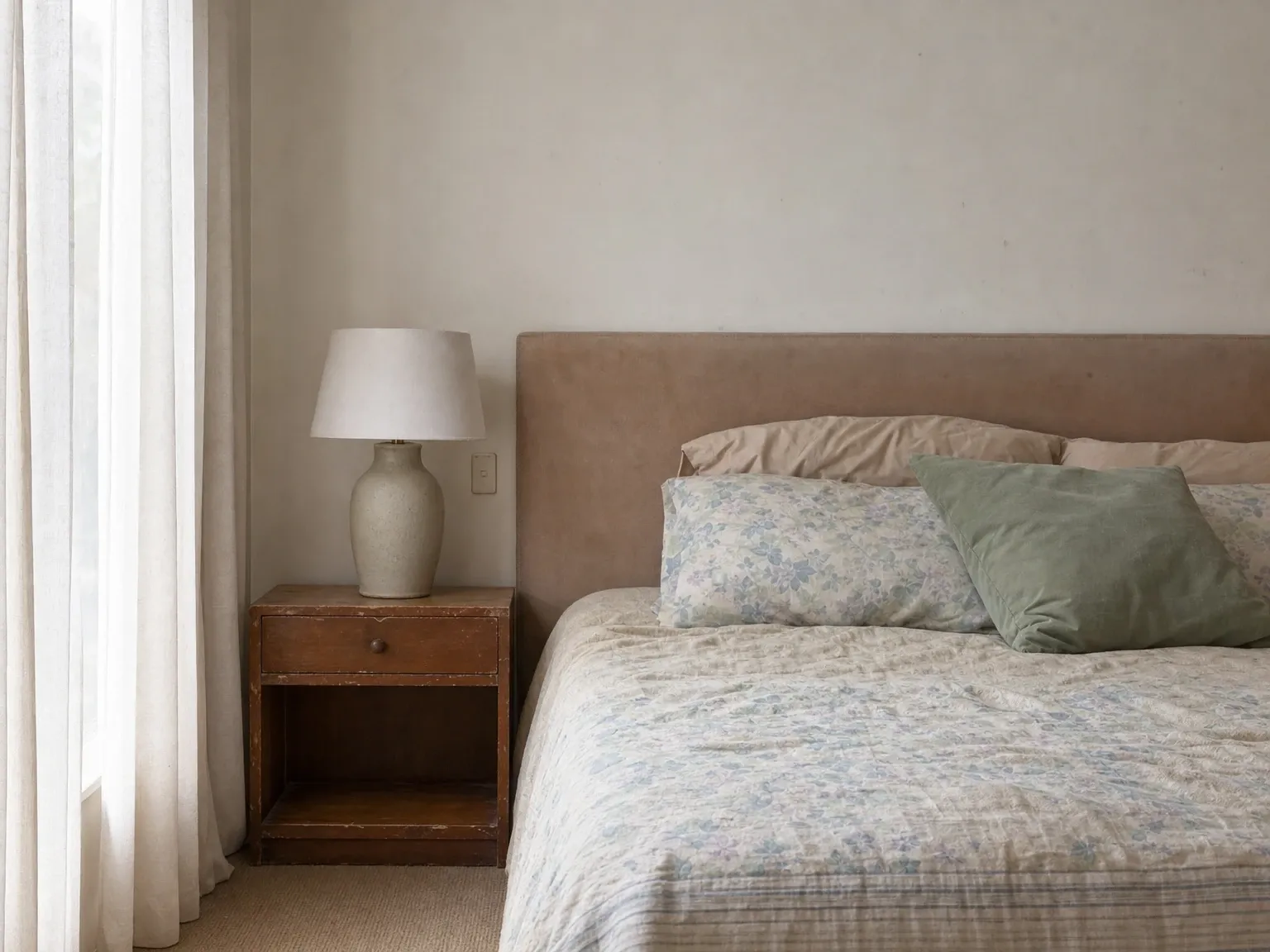
A bench cleared. A towel folded. Less editing to do later.
What it costs to remove objects, by approach
The honest economics, drawn from the published Australian and international per-image rates and converted to AUD at June 2026 exchange rates:
Free AI web tools cost nothing per image but cap on resolution, daily usage and the number of removals per image. They are the right answer for a single edit on a private listing, not for a campaign.
Paid AI tools sit around A$0.30 to A$0.50 per image at the per-credit rate (AI HomeDesign quotes US$0.24 per image; Photo and Video Edits charges 7 credits per photo), with monthly subscriptions that bring per-image cost lower at volume. For 50 to 200 images a month they are the cheapest scalable option.
International retouching services sit at A$10 to A$15 per image for the basic decluttering tier (Styldod’s $8 per image is the low-end international benchmark), with rush turnaround adding around 50%. Quality is uneven across providers and the work is done in batch by editors who do not know the Australian market.
Australian retouching services sit at A$15 per image and up, with Real Estate Photographer Sydney’s published rate on retouching at the lower end of that range. Australian providers handle the legal posture, batch quality control, and consistency across the gallery, and they understand the difference between a wheelie bin and an electricity pole without needing the brief to spell it out.
Each tier has a job. A vendor preparing a small private listing might use the free AI tools and never need anything more. A photographer doing two or three shoots a week is best served by Lightroom or Photoshop. An agency running ten campaigns a fortnight is best served by an Australian retouching partner who handles the full editing layer (sky replacement, day-to-dusk, virtual staging, object removal) under one ticket per shoot.
How to choose: a decision framework
The decision tree falls out cleanly once the volume and complexity are known.
For a single image with a single small object on a clean background (a stray remote, a single bin, a power cord), the free AI web tool is right. It costs nothing, takes two minutes, and the quality is enough for a private listing.
For a small batch of images with simple removals (a complete listing where the editing layer is otherwise good and only a few items need to come out), the paid AI tool at A$0.30 to A$0.50 an image is right. The subscription pays for itself on volume and the model handles standard residential clutter well.
For a difficult image, the hero exterior with a complex removal (a power pole, a satellite dish, a large piece of infrastructure that needs the wall behind it reconstructed), the manual Photoshop workflow is right. The AI tools fail on these cases and the editing time is unavoidable.
For an agency with steady listing volume, the right answer is a retouching partner who handles the editing layer end to end. The partner builds the consistency that an AI tool plus a casual editor cannot match across a campaign, and the legal posture is part of the contract. This is the layer reIMG operates in: the daylight files come in, the finished gallery (sky replaced, twilight converted where it earns the spend, virtual staging applied where the room is empty, object removal across every shot) comes back within 24 hours, with the first job free so the work can be evaluated before any commitment.
The cost difference between doing it badly and doing it well is small. The difference between doing it badly and not doing it at all, measured in time on market for a typical Australian campaign, is large.
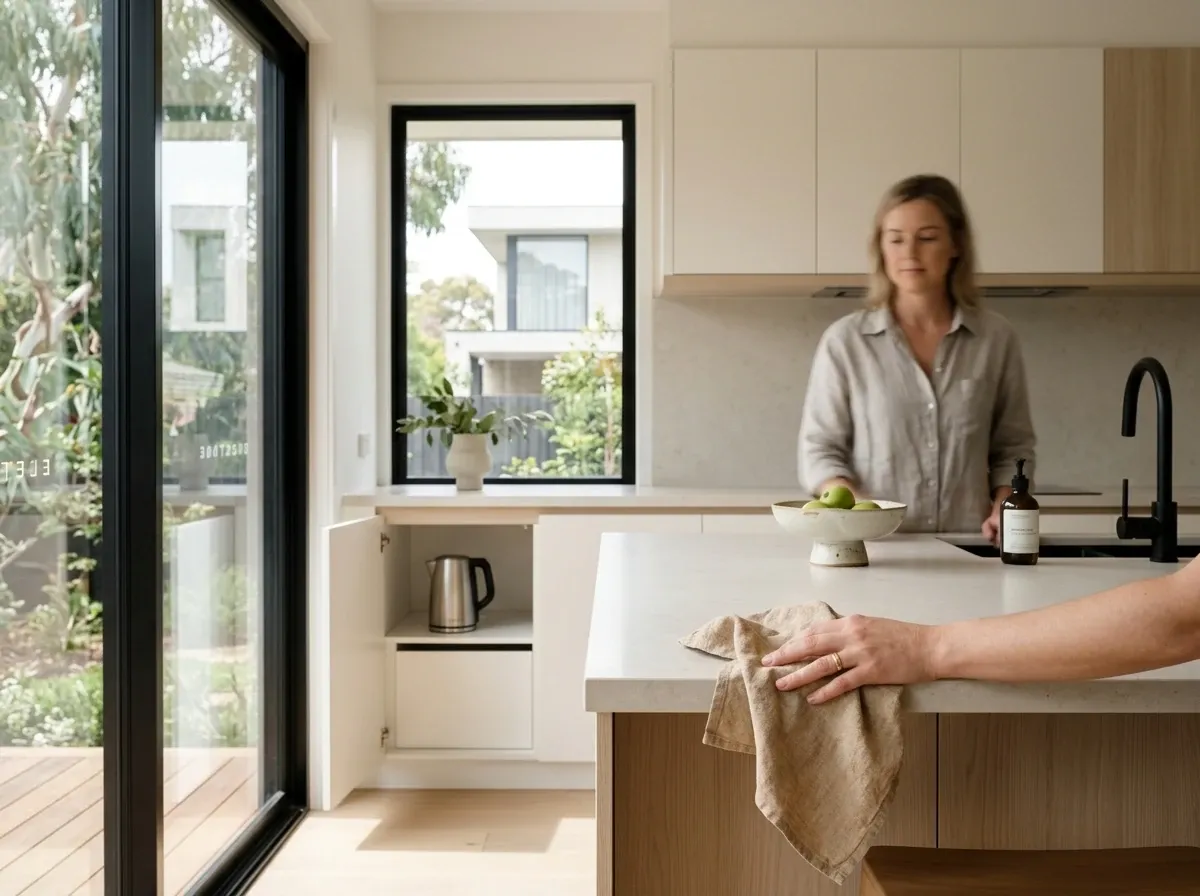
Preparation in person beats decluttering in software, every time.
Preparing the property so there is less to remove
The cheapest object removal is the one that does not have to happen. Australian photographers all share a version of the same pre-shoot checklist with their clients, and the time the seller spends working through it before the photographer arrives is worth more than any other hour in the campaign.
In the kitchen: clear every benchtop completely. The kettle, toaster, knife block, fruit bowl, dish rack, and tea-towels go in a cupboard. One small styled object per surface, no more. The bin is gone. Cords are unplugged where possible. A fresh tea-towel is folded over the oven handle.
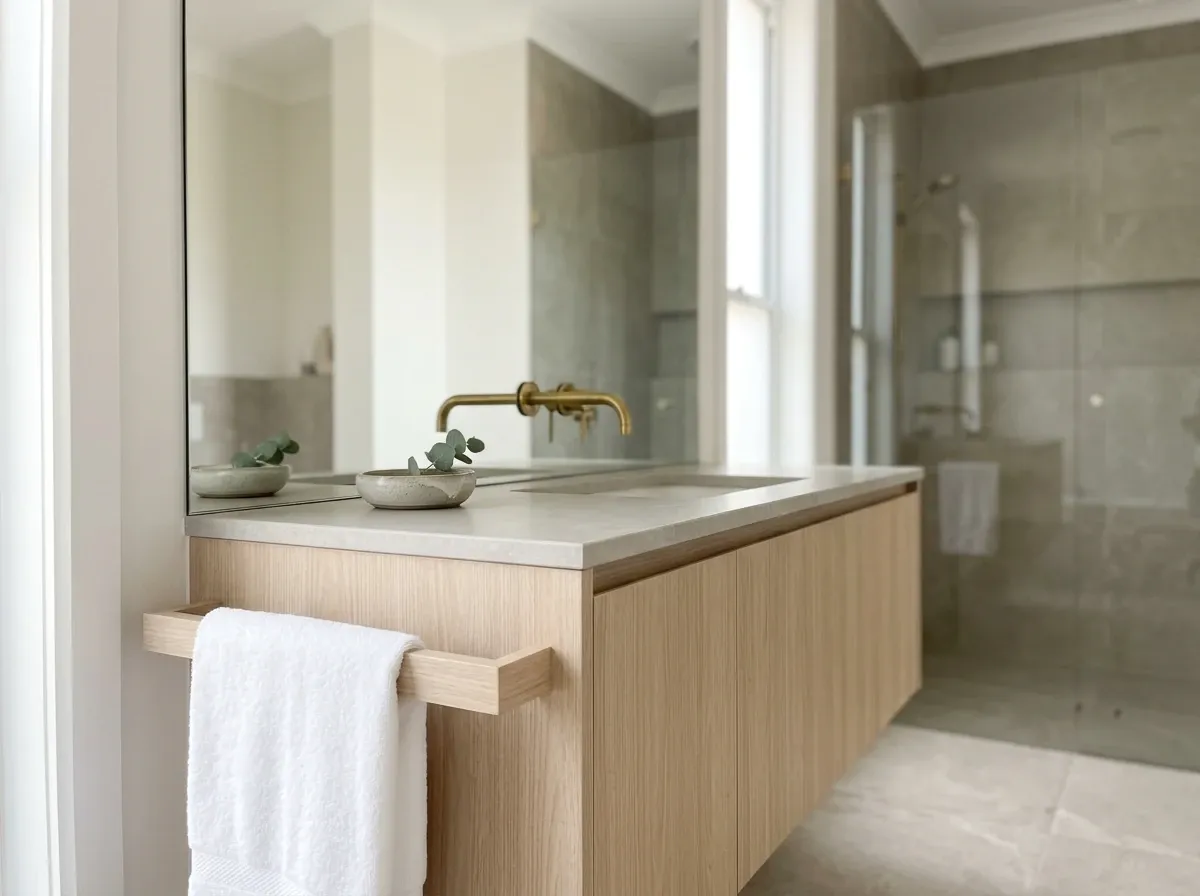
In the bathrooms: every personal item is hidden. Toothbrushes, deodorant, soap, shampoo, hair products, towels in use. The toilet lid is down. A fresh white towel is on the rail. The bath mat is straight. The mirror is wiped.
In the bedrooms: every bed is made fully, with the cover even on both sides and the pillows squared. The bedside tables are cleared except for one styled item: a lamp, a book, a small plant. Wardrobes are closed.
In the living areas: the cushions are plumped and squared. Throws are folded, not draped. Remote controls, magazines, kids’ toys, pet beds, and visible cords are gone. The TV is off. Curtains are open and tied back; blinds are at consistent heights across windows.
Outside: lawns are mown two to three days before so they are even but not freshly clipped. Cars are off the driveway. Bins are off the kerb. The pool is clean and the cover is off. Children’s toys, hoses, and gardening tools are away.
The hour invested before the camera arrives produces a cleaner gallery than any amount of editing afterwards. Editing rescues the items that physical preparation missed; it does not substitute for the preparation itself.
Zoom to 100 percent. The bad fills hide at thumbnail size.
Telltale signs of a bad removal (and how to avoid them)
Buyers do not consciously detect a bad object removal. They feel something off in the image, they cannot articulate it, and they qualify out of the listing. Buyer’s agents do detect it, and the experienced ones know exactly where to look. The signatures of a bad removal:
A blurred patch where there should be detail. Generative fills that have not been refined leave a soft area in the texture, especially against high-frequency backgrounds like tile, brick, or fine fabric. The fix is a higher-quality model, a more generous selection mask, or a manual touch-up over the AI output.
A repeating pattern that should not repeat. The most obvious sign of a poor AI fill on a kitchen splashback is a tile pattern that visibly duplicates two tiles to the side. Inspect the splashback and any patterned floor before publishing.
An orphan shadow. The bin is gone but its shadow is still on the driveway, or the chair is gone but the rug still shows the impression of its legs. Always check the ground plane around the removed object.
A reflection that no longer matches. The vase has been removed from the table but its reflection is still in the mirror behind the table. Mirrors, windows, glass surfaces and polished bench tops all hold the reflection.
A colour mismatch. The Firefly model occasionally fills with a slightly different colour temperature or saturation. The patch looks plausibly correct in isolation but reads as an obvious patch against the rest of the wall.
A change in the geometry of the room. A removed cabinet that was hiding a wall corner leads the model to fill in a wall corner that is straight when the actual corner has a 5° offset, or vice versa. Check the perspective lines.
The way to avoid all of these is the same: zoom to 100% before exporting the final image, walk the eye around every removed area, and treat the AI output as a first pass rather than a finished result. Two minutes of inspection saves a complaint.

The same exterior with the full editing layer applied.
Where the object-removal layer leaves the listing
A clean listing photo is now the floor, not the ceiling, for an Australian campaign. realestate.com.au and Domain expect twelve to fifteen edited images per listing across every selling room and outdoor area. The hero earns the click; the gallery earns the inspection booking. Object removal is what takes a gallery from passable to publishable, and the work happens in seconds with the right tool. The companion edits sit alongside it: sky replacement on the hero, day-to-dusk on the twilight shot where it is worth the spend, virtual staging on empty rooms, and vertical correction on every shot.
For the wider context of where object removal sits inside the Australian real estate photo workflow, our complete guide to real estate photography in Australia covers the camera-side decisions, pricing by city, and the rest of the editing layer. For the related but distinct case of furnishing an empty room digitally rather than only removing clutter, the virtual staging guide for Australia is the deep version. Together with this piece they cover the editing surface end-to-end.
The legal frame is simple once it is internalised. Tidy the temporary. Leave the permanent. If a buyer arriving at an inspection would feel misled by what is missing from the photo, do not remove it. If the same buyer would not notice the difference between the photo and the room, the edit is fine.
Frequently asked questions
What can I legally remove from a real estate photo in Australia?
Personal items and temporary clutter: bins, cords, remote controls, towels, toiletries, parked cars, agent signboards, pet beds, garden hoses, a hair-dryer on a vanity, a mug on a bench. These are the seller or tenant belongings, not part of what is being sold or let, and removing them does not misrepresent the property. Built-in or permanent features cannot be removed.
What can’t I remove?
Anything physically part of the property or its setting: power lines, electricity towers, telegraph poles, neighbouring buildings, air-conditioning units, water tanks, satellite dishes, fences, cracks in walls, mould, water stains, structural damage. Removing them is misleading conduct under the Australian Consumer Law and, in NSW from 2025, also a specific breach of residential tenancies legislation.
What are the penalties for misleading property images?
Under the Australian Consumer Law, an individual can be fined up to $220,000 and a company up to $1.1 million for misleading or deceptive conduct in trade. NSW now adds rental-specific penalties of $5,500 for an individual and $22,000 for a business when an altered image misleads a prospective renter. Queensland Property Occupations Act section 212 sets a maximum of $72,063 for misrepresentation by a licensee.
What is the cheapest way to remove objects from a real estate photo?
A free web tool like Cleanup.pictures handles small objects (a cord, a remote, a single bin) at no cost. For volume work, AI services like AI HomeDesign run around US$0.24 per image. Australian retouching services typically charge $10 to $15 per image with a human-quality finish that holds up at full portal resolution.
How is AI object removal different from Photoshop?
Photoshop and Lightroom now both use generative AI under the hood, and dedicated AI tools use similar models. The difference is workflow. AI web tools are designed for single-click removal of one object on one image. Photoshop gives precise selection, layering, and the ability to fix imperfect AI fills with traditional retouching. For volume work, the AI web tool wins on speed; for difficult removals, the manual workflow still wins on quality.
Will buyers be able to tell that an object was removed?
Sometimes. Bad removals leave artefacts: a slightly blurred patch where the bin was, a repeated tile pattern across a kitchen splashback, a shadow that does not match the new background, a wall texture that suddenly smooths out. A well-removed object is invisible, but a rushed job is the kind of detail a careful buyer or buyer agent spots when they zoom in on the listing.
Do I need to disclose that a photo was edited?
In NSW rental advertising, yes, when the edit would mislead a prospective renter (removing infrastructure from the background, hiding damage, falsely representing furniture). For property sales, the Australian Consumer Law obligation is not a disclosure rule but a prohibition on misleading conduct. The simple line: edits that tidy temporary clutter are fine and need no disclosure; edits that change what the buyer will inherit when they sign the contract are not safe regardless of disclosure.